显示标签为“vvdi prog”的博文。显示所有博文

2021年11月9日星期二

How to Read Porsche BCM and Program Key with VVDI Tool


This article is about to compare different ways to read Porsche BCM and program keys by Xhorse Programmer. Some require de-soldering, while some don’t with certain cables and adapters.


Method 1. VVDI PROG (Desoldering required)

This way requires MC9S12 reflash cable included in the package and to desolder components (and to cut wires on part of chips).

1)Panamera (1L15Y) tested OK

It requires removing a component and soldering it back after reading and saving the FLASH file.

vvdi prog Panamera (1L15Y) tested OK

2)Macan (1N35H) & Cayenne GTS (5M48H) tested OK

It requires removing two components, cutting a wire, and soldering them back after it’s complete.

 vvdi prog Macan (1N35H) & Cayenne GTS (5M48H) tested OK01

vvdi prog Macan (1N35H) & Cayenne GTS (5M48H) tested OK 02

General procedure (VVDI PROG+VVDI2):

  • Read&save D-FLASH file (VVDI PROG)>>Load the file (VVDI2)>>Program keys>>Install back BCM>>Learn keys via OBD (VVDI2)


Method 2. VVDI Programmer with Porsche Fast Easy Cable

This way requires Porsche Fast Easy Cable and wiring. No soldering is required.

This adapter works with VVDI PROG, VVDI2, and Key Tool Plus to read BCM without soldering.

1)1N35H tested OK

VVDI prog Programmer with Porsche Fast Easy Cable

The rest procedure is similar to method 1.


Method 3. VVDI Key Tool Plus/Mini Prog with XDNPP017 Adapter

This way requires XDNPP017 Solder-free Adapter, so soldering is not required in this way as well.

1)Cayenne (5M48H) and Macan (1N35H) tested OK

 KTP Cayenne (5M48H) and Macan (1N35H) tested OK 01

 KTP Cayenne (5M48H) and Macan (1N35H) tested OK 02

General procedure:

  • Read&save D-FLASH file (Key Tool Plus/Mini Prog)>>Load the file (Key Tool Plus)>>Program keys (Key Tool Plus)>>Install back BCM>>Learn keys via OBD (Key Tool Plus)

 KTP Cayenne (5M48H) and Macan (1N35H) tested OK 03

 KTP Cayenne (5M48H) and Macan (1N35H) tested OK 04

Alright, different methods require different adapters & cables and operation and watch the devices that adapters support.


Read related:

  1. How to use VVDI2 and VVDI Prog to Program Porsche Paramera Key? 
  2. VVDI Prog Programmer Read Porsche BCM 2M25J Successfully 
  3. How to use VVDI2 and VVDI Prog to Read Write Porsche Key?
  4. Xhorse VVDI Key Tool program 2011 Porsche Cayenne AKL 
  5. VVDI Prog Read Porsche BCM Data Tips 


2021年11月3日星期三

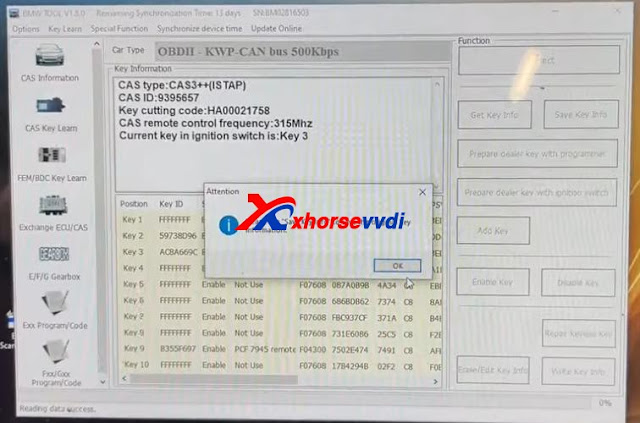
How to downgrade ISTAP with Xhorse VVDI Prog +BIMTool

Here we’re trying to downgrade CAS3+ ISTAP. Because it’s encrypted since ISTAP upgrade and it doesn’t allow VVDI BIMTool or any software to write a key to it.


What we want to do is:

Write back the original FLASH data that was doing a key before.

Try to crank CAS3+ module by BIMTool and bench test platform.


Step 1

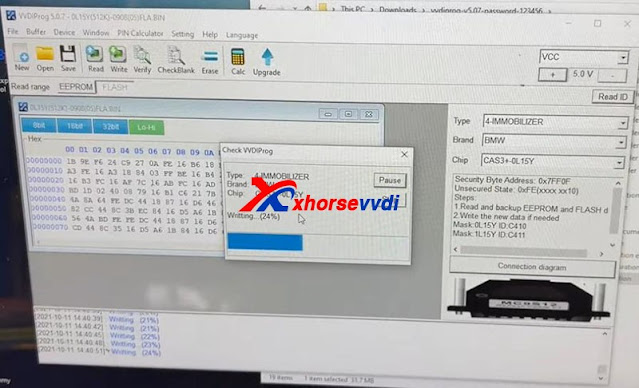
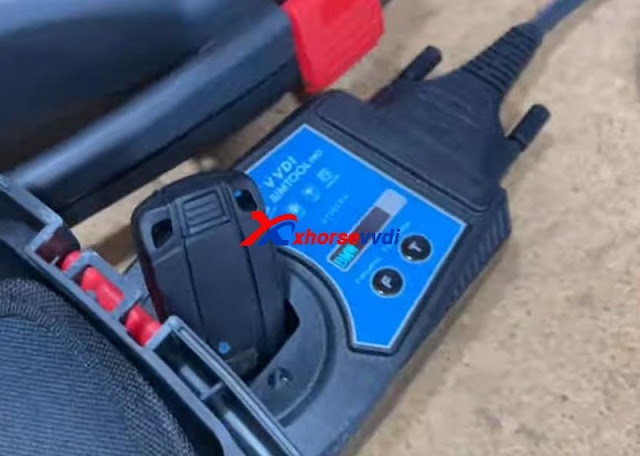
So, first we write the original FLASH into CAS3 by VVDI Prog Programmer.

How to downgrade ISTAP with Xhorse VVDI Prog +BIMTool 01 How to downgrade ISTAP with Xhorse VVDI Prog +BIMTool 02


Step 2

Set up bench test platform:

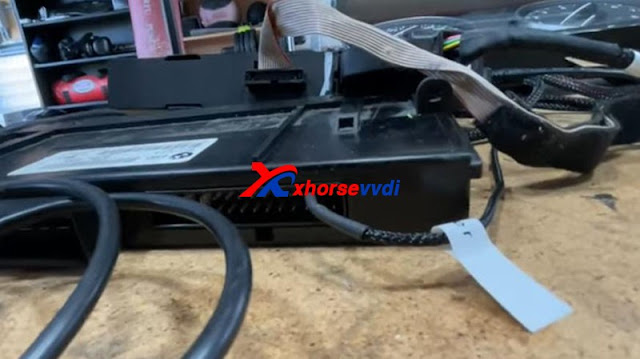
Connect the cable to all hardware (BIMTool, JBE, CAS3, key slot, switch…)

Notice the PIN on JBE module.

How to downgrade ISTAP with Xhorse VVDI Prog +BIMTool 03 How to downgrade ISTAP with Xhorse VVDI Prog +BIMTool 04

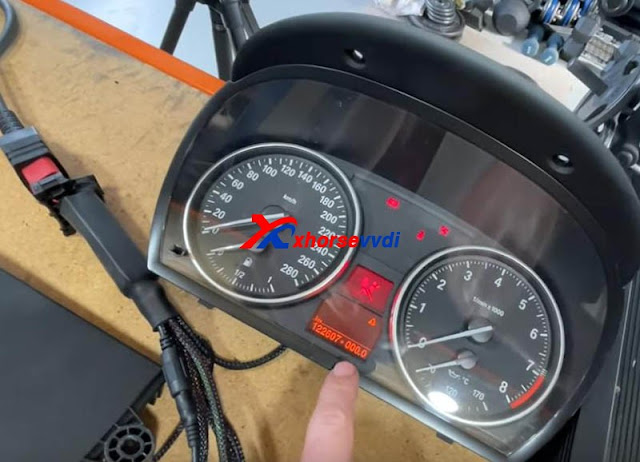
Insert the key and light on the cluster.

We see there is a steering lock but we can bring up the mileage. (The temper dot comes from the mismatch of the kilometer between CAS and cluster)

How to downgrade ISTAP with Xhorse VVDI Prog +BIMTool 04


Step 3

We hook up BIMTool.

Turn to “CAS key learn” page and connect.

Click on “Get Key Info” and “Add key”.

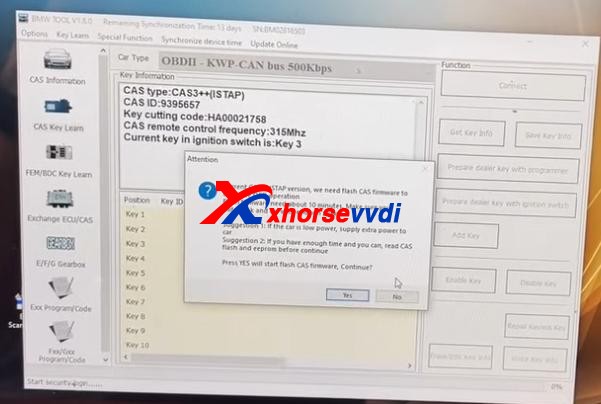
If it’s encrypted, here it’ll prompt.

But, it asks if we’re going to update firmware, which means FLASH writing by VVDI Prog worked.

How to downgrade ISTAP with Xhorse VVDI Prog +BIMTool 05

Now disconnect PC from the Internet.

Press “No” to update firmware.

Then press “Yes” to flash CAS firmware.

How to downgrade ISTAP with Xhorse VVDI Prog +BIMTool 06

Follow the instruction and it gives us key info.

How to downgrade ISTAP with Xhorse VVDI Prog +BIMTool 07

Finally we manage to crack and downgrade CAS3+ ISTAP on bench.

Try if it can give us ISN.

Exchange ECU/CAS>>CAS – CAS3+ OBDII>>Read ECU ISN

No.

Try it via EEPROM dump file that we got from VVDI Prog, and a working key.

How to downgrade ISTAP with Xhorse VVDI Prog +BIMTool 09

Yes.

How to downgrade ISTAP with Xhorse VVDI Prog +BIMTool 10

Done!


More functions to be explored!

http://blog.xhorsevvdi.com/vvdi-prog-bimtool-and-cas3-bench-test-platform-downgrade-istap-success/

2021年10月28日星期四

V5.0.8 Xhorse VVDI Prog Software Download Free

V5.0.8 VVDI Prog software is released, here is the newest V5.0.8 VVDI Prog software download link.


1.Free Download V5.0.8 VVDI Prog Software

https://we.tl/t-PJCP3BZGvA

Password:123456

2.V5.0.8 VVDI Prog Update Information:

V5.0.8 VVDI Prog Update (2021-10-27)
* This version DON’t need update firmware
* Fix LACROSSE-BCM(2008) diagram in <4-IMMOBILIZER>-><BUICK>
+ Add MB91F109, MB91F127, MB91F128, MB91F133, MB91F155, MB91F158, MB91F223, MB91F248, MB91F267, MB91F273, MB91F313, MB91F314, MB91F318R,  MB91F345,
MB91F353A, MB91F355A, MB91F356B, MB91F463C, MB91F465C, MB91F467C, MB91F464H, MB91F467M, MB91F467T, MB91F475, MB91F478, MB91F479, MB91F482, MB91F486, MB91F487, MB91F492, MB91F575/S, MB91F577/S, MB91F610:FONT, MB91F610:PROG, MB91F627, MB91F662, MB91F668/F669 options in <2-MCU>-><FUJITSU-MB9XF>
+ Add SAIC-GM-BCM option in <4-IMMOBILIZER>-> <SAICMOTOR>
+ Add CS75(MB91F534B)(2017) option in <5-DASHBOARD>-><CHANGAN>
+ Add Viaggio(D70F3525)(2014) option in <5-DASHBOARD>-><FIAT>
+ Add HIACE-DASHBOARD(2016) option in <5-DASHBOARD>-><JINBEI>
+ Add SOUTHEAST-V3-LINGYUE option in <5-DASHBOARD>-> <SOUTHEAST-MOTOR>
+ Add A4L-LEW-MODULE(2017-), A4L-SKYLIGHT-MOTOR-MODULE, options in <8-OHTER>-><AUDI>
+ Add  VIANO-ELECTRIC-DOOR-MODULE option in <8-OTHER>-><BENZ>
+ Add  525-REAR-VIEW-CAMERA-MODULE,  X5-E70-ESP(ST10F269), X6-E71-TAILGATE-MODULE options in <8-OHTER>-><BMW>
+ Add CS75-AIRCONDITION-MODULE(2014)  option in <8-OHTER>-><CHANGAN>
+ Add ECOBOOST-AFS-MODULE option in <8-OHTER>-><Ford>
+ Add MG-6-TELEMATICS-MODULE(2014) option in <8-OHTER>-><SAICMOTOR>
+ Add PHIDEON-TPM(2018) option in <8-OHTER>-><VOLKSWAGEN>
+ Add S80L-ICM(2011) option in <8-OHTER>-><VOLVO>


2021年10月12日星期二

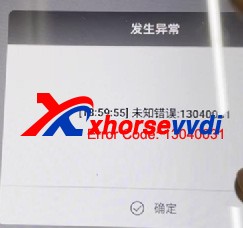
How to Fix VVDI Key Tool Plus Error Code: 13040031 with BCM2 Adapter?

During the process of using Xhorse Audi BCM2 Adapter to read & write data with VVDI Key Tool Plus and VVDI Prog, some may have error reports or failure messages. In this article, We will put together 2 errors and solutions for your reference.


Issue 1.

Read DATA1 success with BCM2 adapter , but during DATA2 reading VVDI Key Tool Plus prompts “Error Code: 13040031”and“Read Data fail”.

How To Fix VVDI AUDI BCM2 Adapter Error Code 13040031 (2) How To Fix VVDI AUDI BCM2 Adapter Error Code 13040031 (3)

Solution 1 :

Do Not try as you like when it shows “Error Code: 13040031”, the correct way is to check cables & adapters connection and external power supply, try to read again and it should be fine (Do Not read DATA1 again, unlock BCM or try to install BCM back and read via OBD). Read data as instructions and restore BCM back, and there will be no other problems.


Issue 2.

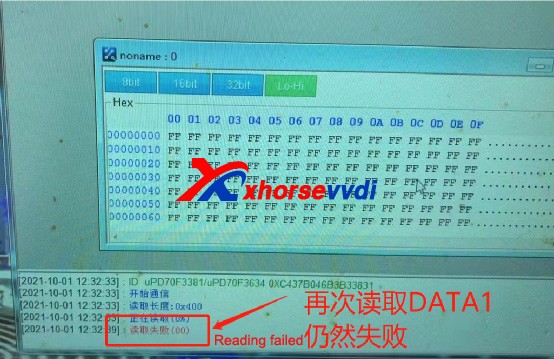
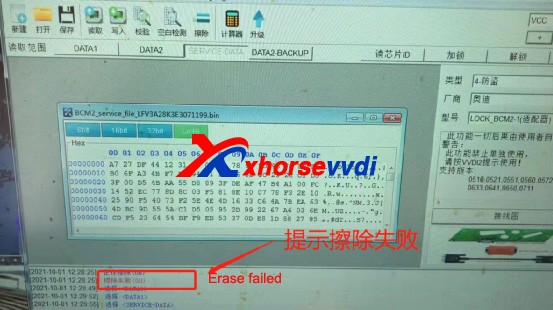
Read DATA1 and DATA2 success, save Immo data and service data success, but write service data fail and it prompts “Fail to erase” when repeating service data writing. Try again and DATA1 reading also fails.

How To Fix VVDI AUDI BCM2 Adapter Error Code 13040031 (4) How To Fix VVDI AUDI BCM2 Adapter Error Code 13040031 (5)

Solution 2 :

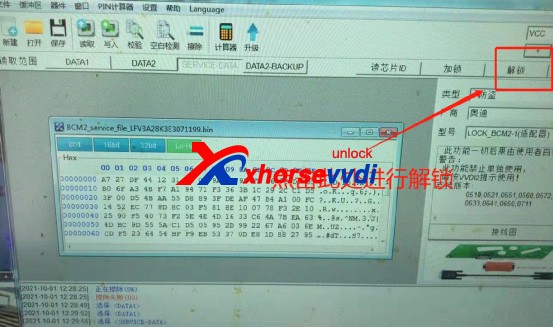
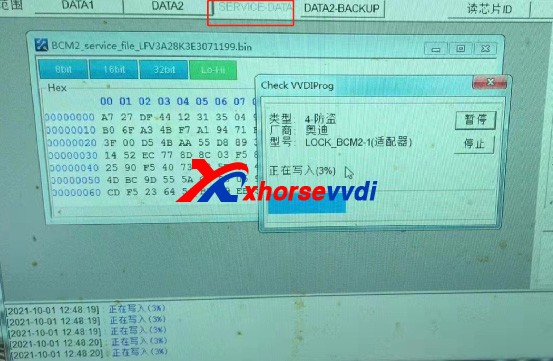
When VVDI PROG  reads DATA1 & DATA2 successfully and saves service data, we can select “Unlock” to unlock BCM’s CPU.

How To Fix VVDI AUDI BCM2 Adapter Error Code 13040031 (6)

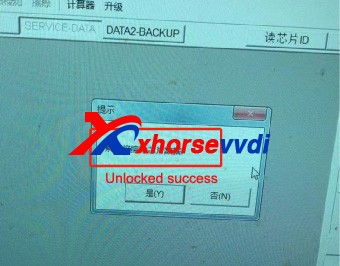
Until the system prompts that the unlock is successful

How To Fix VVDI AUDI BCM2 Adapter Error Code 13040031 (7)

How To Fix VVDI AUDI BCM2 Adapter Error Code 13040031 (8)

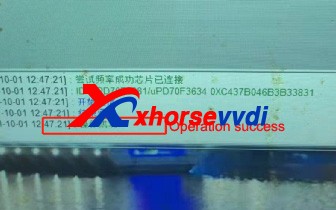
Then select “SERVICE DATA” and write it back.

How To Fix VVDI AUDI BCM2 Adapter Error Code 13040031 (9)

After writing successfully, restore BCM back to vehicle, and vehicle can start without additional operation.


Above problems are collected from customers feedback. Hope this could help. More questions, contact us.

https://www.xhorsevvdi.com/service/xhorse-audi-bcm2-adapter-data-read-write-errors-and-solutions.html

2021年9月24日星期五

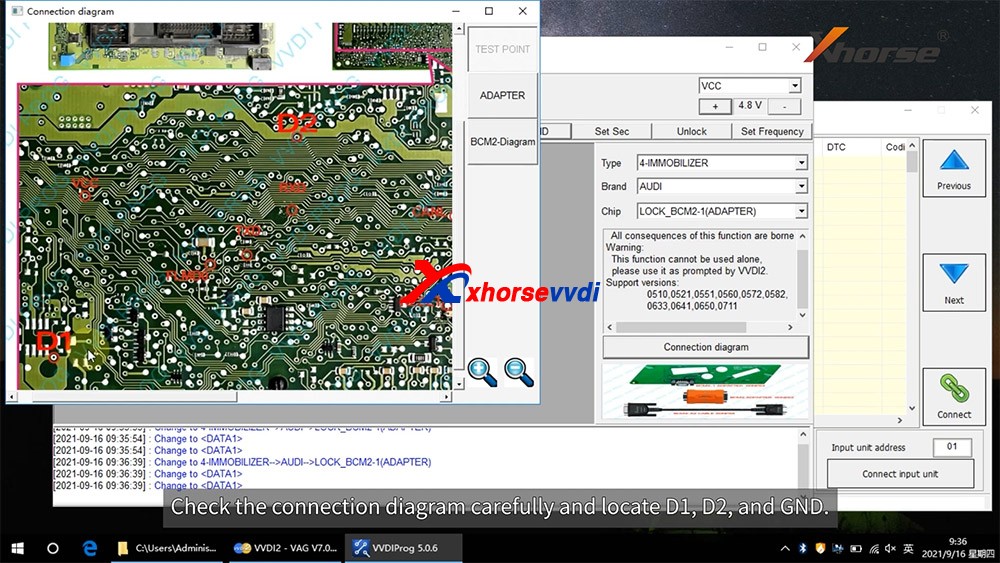
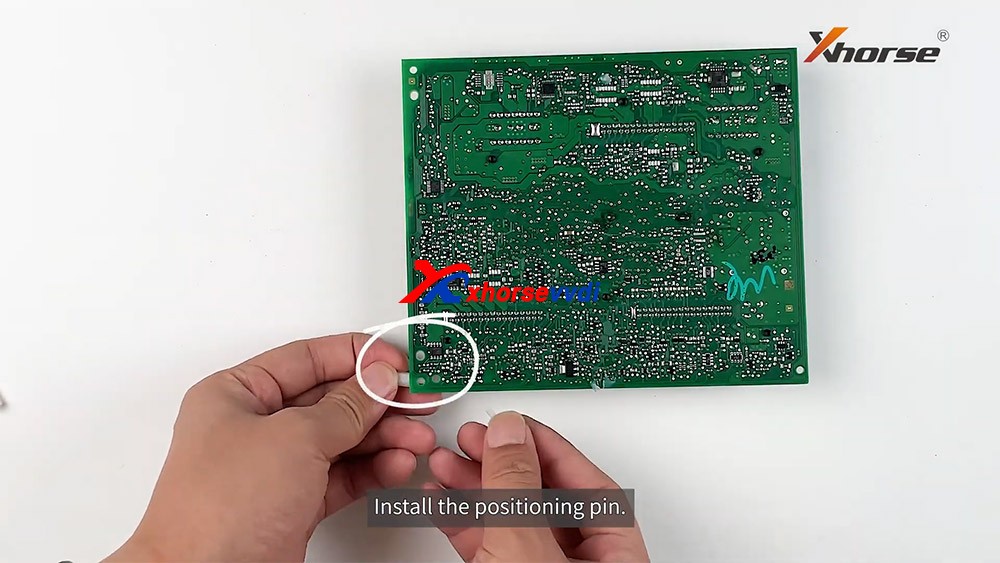
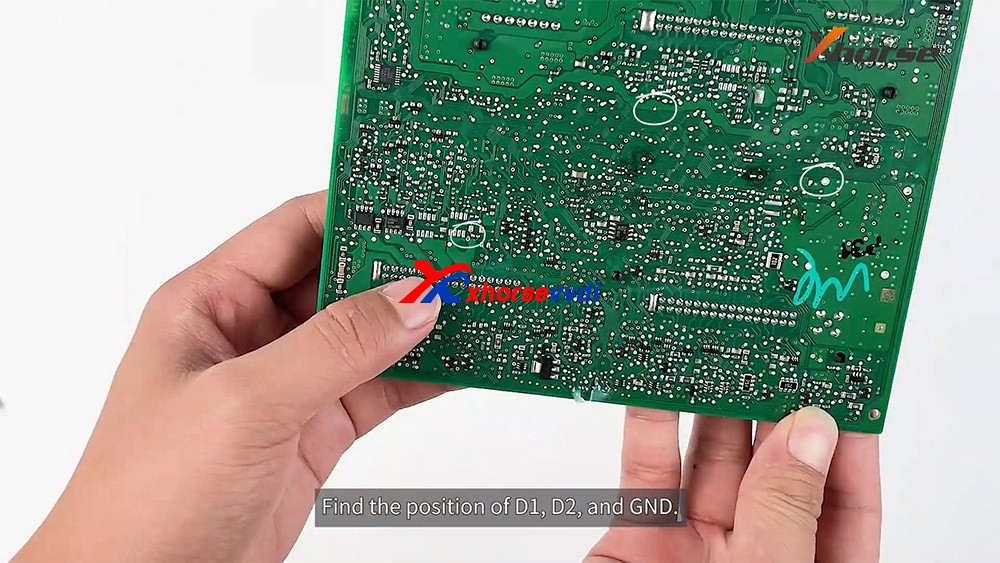
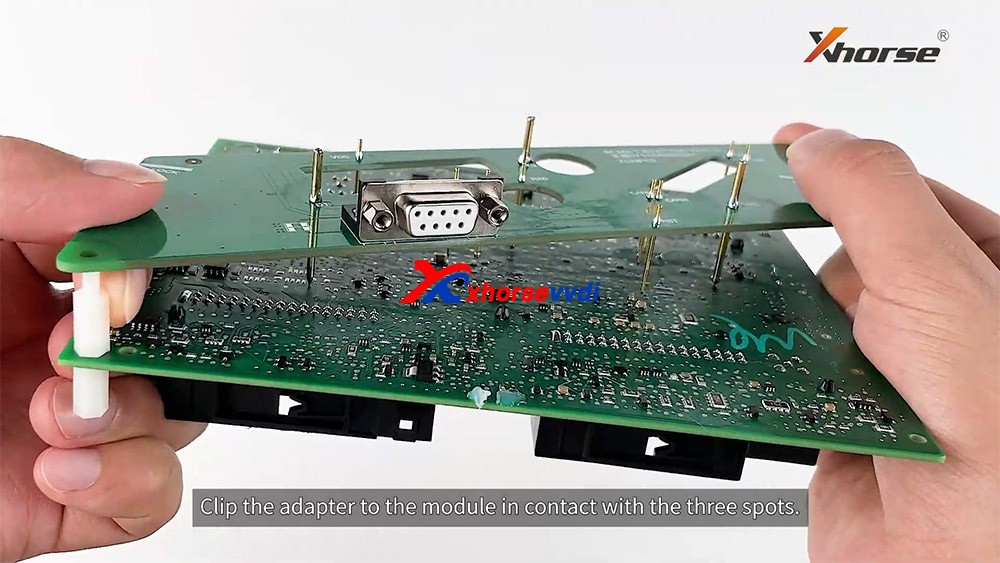
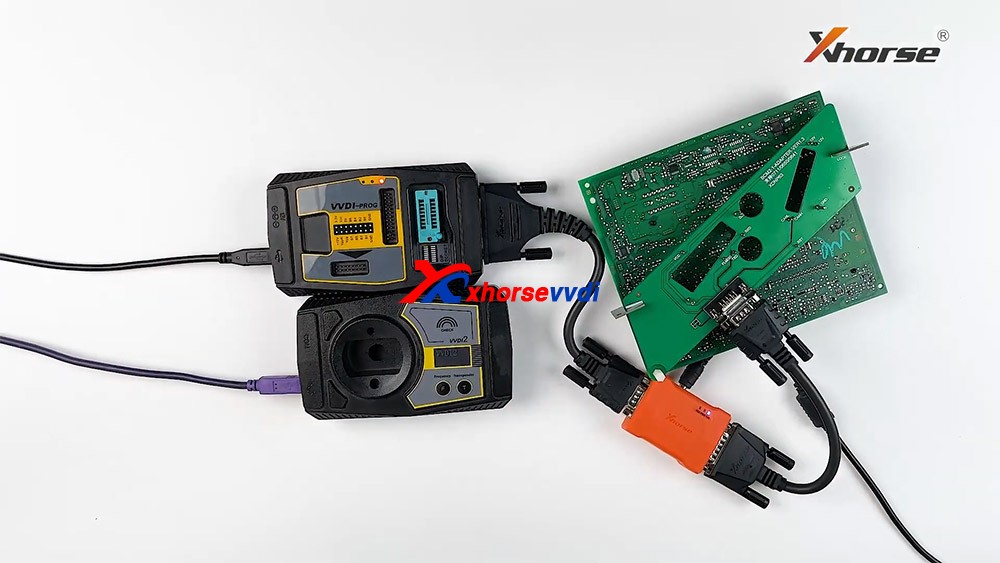
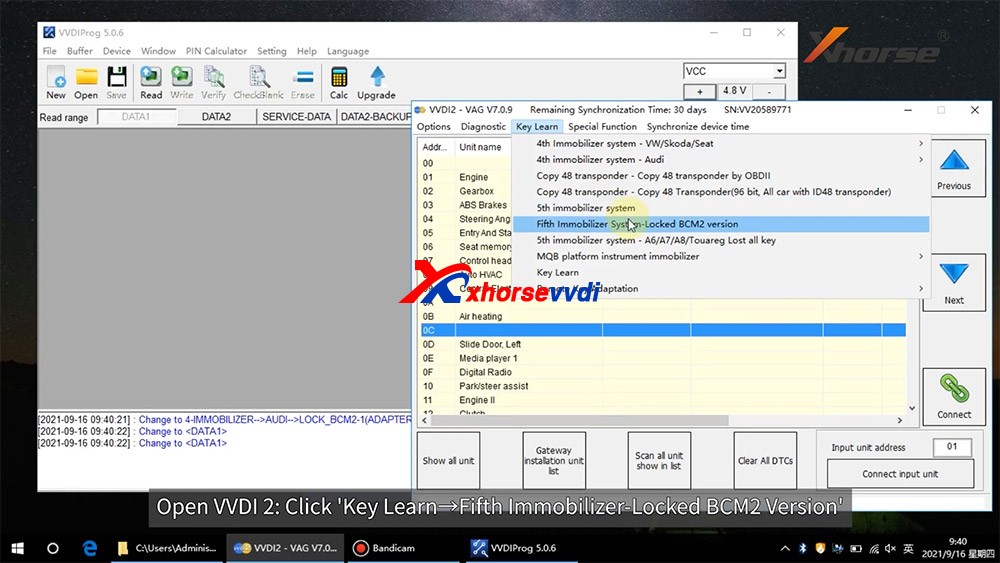
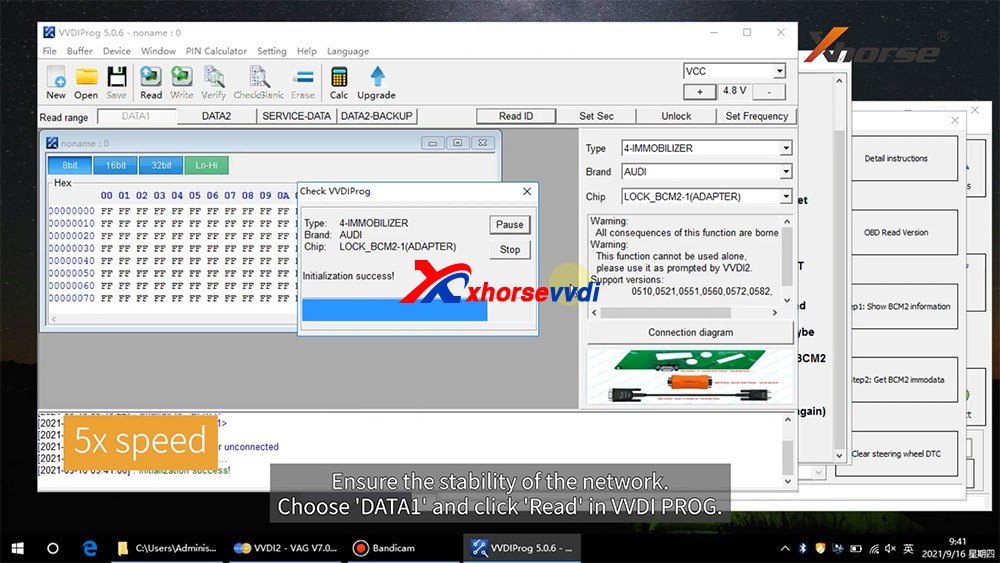
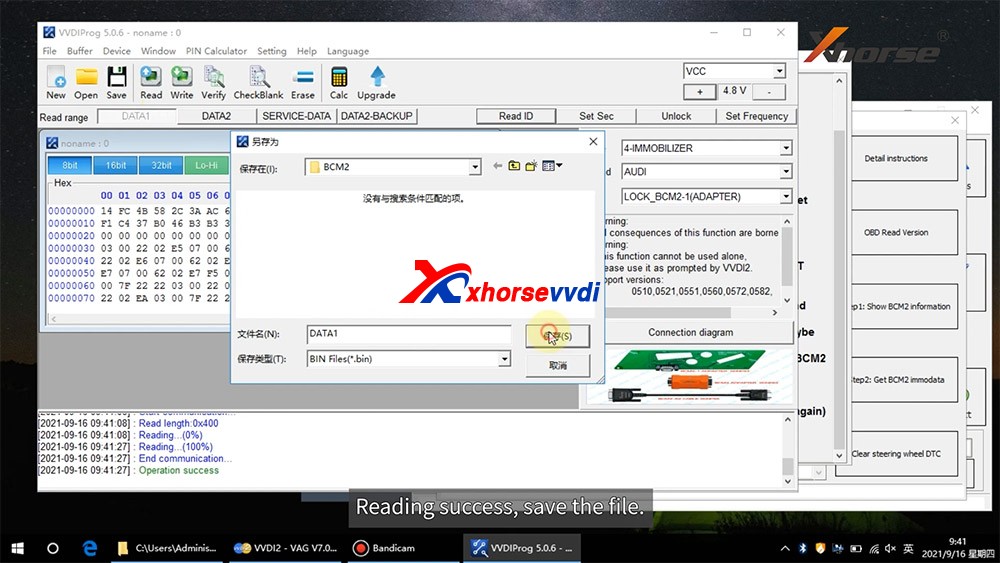
How to connect AUDI BCM2 Adapter with VVDI 2 & VVDI PROG


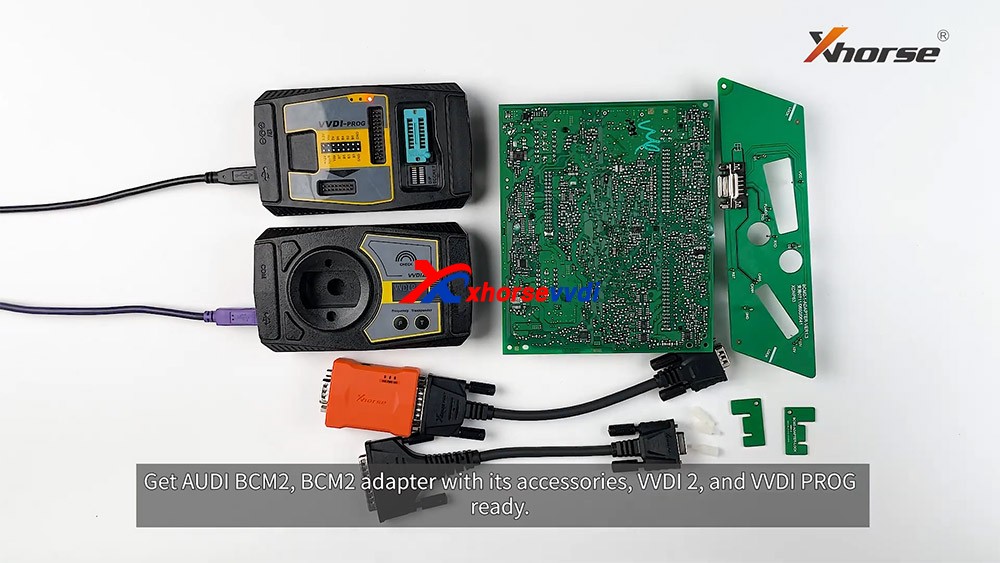
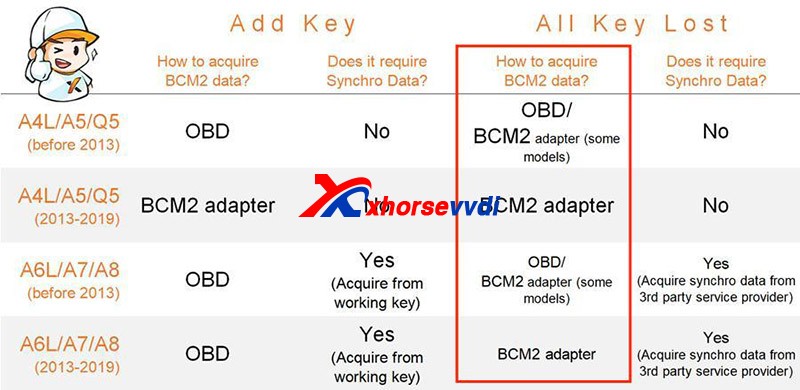
With VVDI PROG and VVDI BCM2 adapter, VVDI2 support:
  1. 2013-2019 A4L /A5/Q5 add key and all key lost
  2. 2013-2019 A6L /A7/A8 get BCM2 immo data while all key lost (Synchronize data can get from 3rd service provider)(Add key can get BCM2 immo data directly via OBDII)

What we want to do today:
Read and write Audi 5th Immobilizer System- Locked BCM2

Good to know:
  • Warning 1 : This function is high risk, all the consequences caused are undertaken by yourself
  • Warning 2: In VVDI-PROG function, Don’t touch power supply, cable, BCM2 module!!!
How to connect AUDI BCM2 Adapter with VVDI 2 & VVDI PROG 01

VVDI-PROG data instructions:
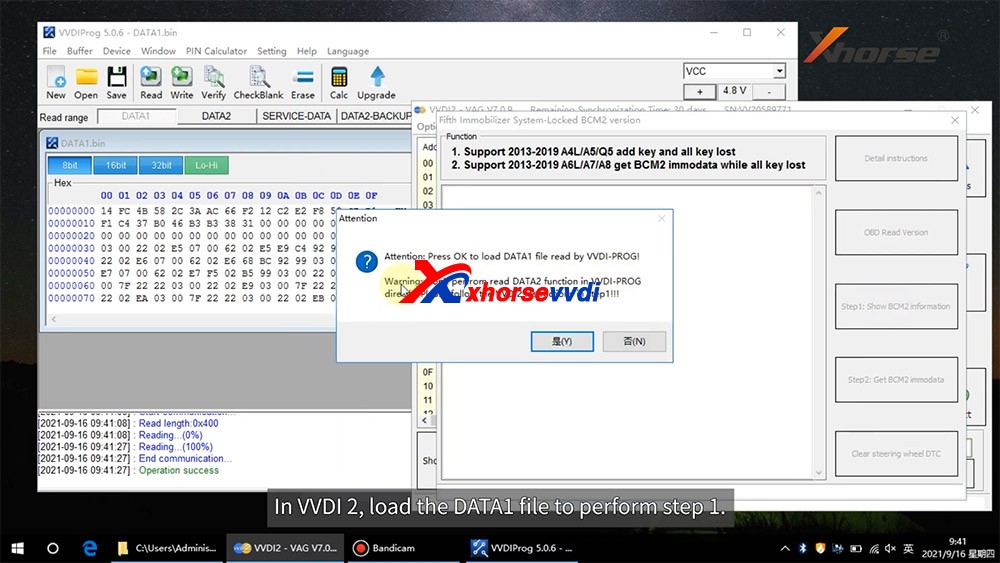
  • DATA1: VVDI2 stepl require data, you can read DATA1 after connect in VVDI-PROG
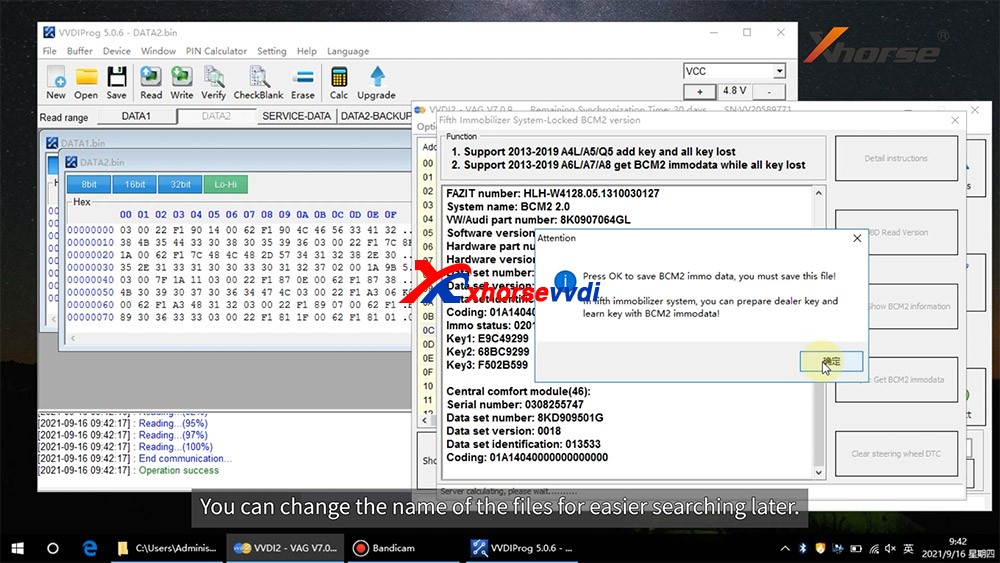
  • DATA2: VVDI2 step2 require data, you can read DATA2 after you get instructions in VVDI2(load DATA1 in stepl)
  • SERVICE-DATA: you can get this data in step2. Write this data to BCM2 activate module
  • DATA2-BACKUP: If read DATA2 failed(cause by power or cable), you can use this function to get DATA2 data

Instructions of using AUDI BCM2 Adapter with VVDI 2 & VVDI PROG:
  • First use OBD Read Version function, OBD read BCM2 version and check support status
  • Open trunk: Find the BCM2 in right-rear area, remove the two big plug, then small one(DON'T close trunk)
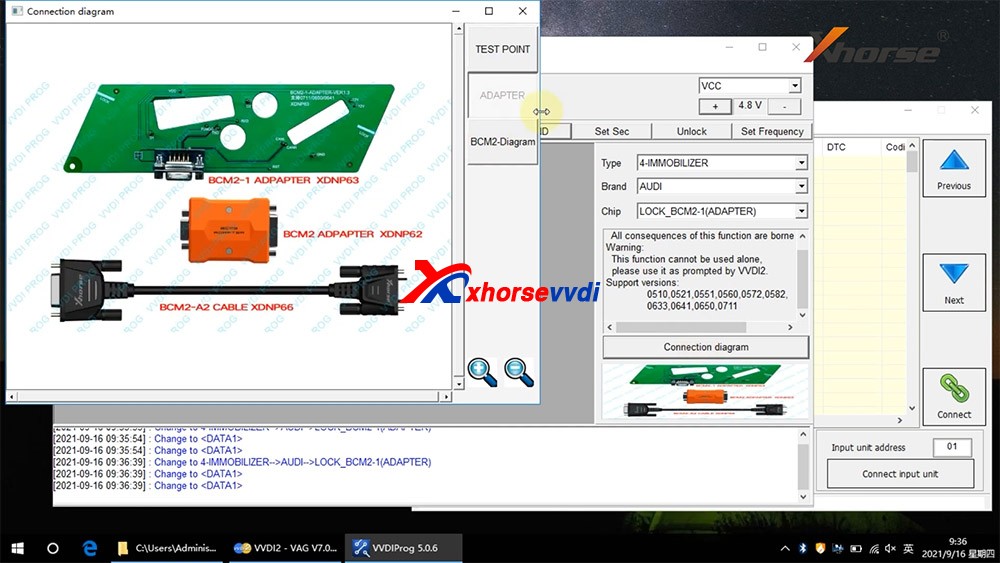
  • Connect VVDI-PROG and BCM2 module, VVDI BCM2 adapter require support +12V
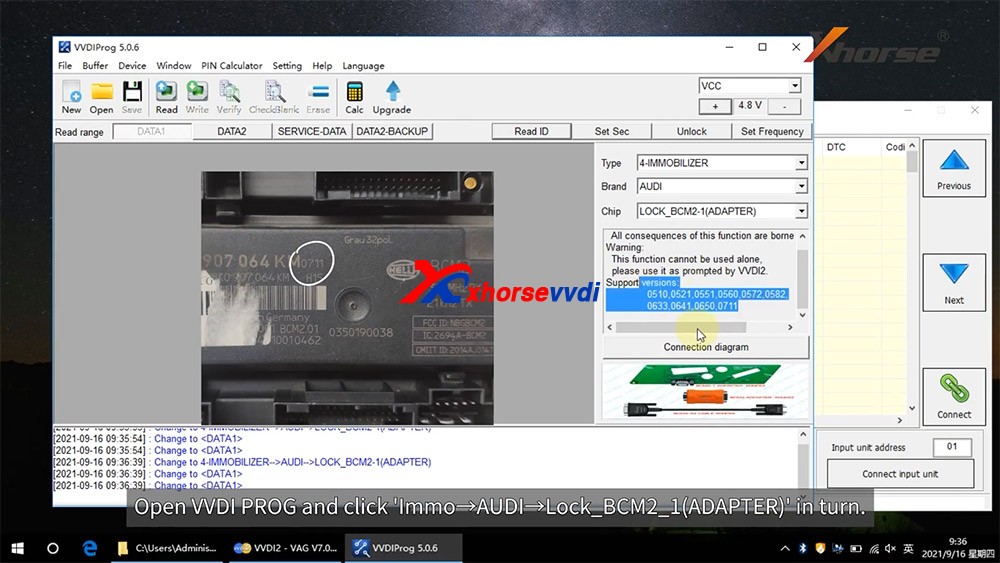
  • Enter VVDI-PROG->immobilizer->Audi->LOCK_BCM2-1 orLOCK_BCM2-2 read DATA1 data and save it(Depends on the SW version)
  • Enter WDI2 stepl, load DATA1 data(require internet), continue with VVDI2 instructions (maybe not need DATA2)
  • If VVDI2 ask you provide DATA2, enter VVDI-PROG read DATA2 and save(After read DATA2, BCM2 will enter service mode)
  • Enter VVDI2 step2, load DATA2 data(require internet), it will save 2 files: BCM2 immodata and BCM2 service data
  • BCM2 immodata can use learn key, BCM2 service data can write to BCM2(make BCM2 work again) with VVDI PRO.
  • After write BCM2 service data, restore BCM2 to car.
  • Enter 5th immobizer system learn key.

How to distinguish whether Audi BCM is an encryption Type

  Recently released   Xhorse BCM2 Solder-free Adapter   allows users to read encrypted Audi BCM2 module, but how to know if it’s a locked ve...