显示标签为“Xhorse Dolphin”的博文。显示所有博文

2021年11月19日星期五

How To Cut Mini Cooper HU100R key w/Dolphin XP005L Automatic Key Cutter


This article is about to show you how to learn and cut Mini Cooper HU100R key using this new Xhorse Dolphin XP005L.
 
First let’s see some highlights of this machine:
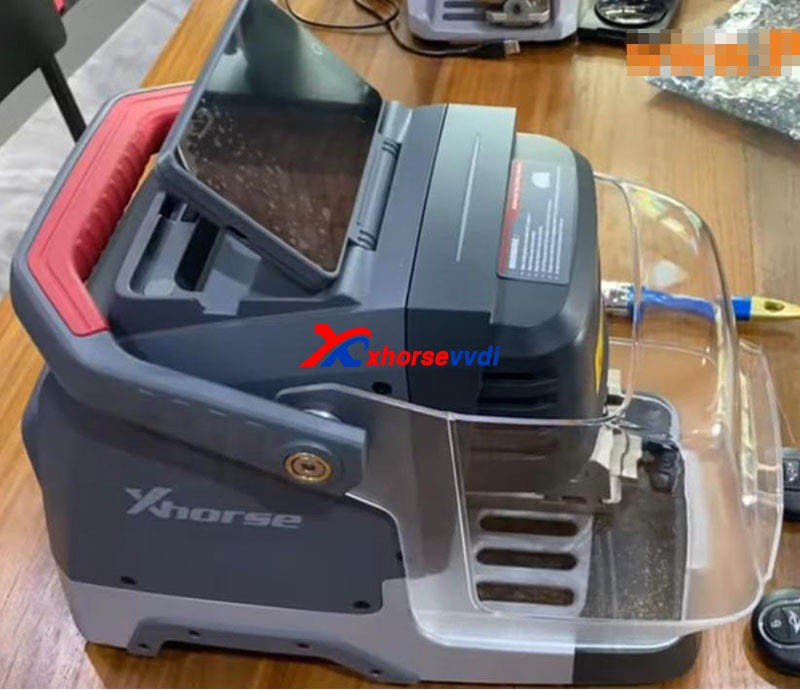
A complete protection cover and an adjustable touch-screen
new-dolphin-xp005l-clone-mini-cooper-hu100r-key-tutorial-2
Smart LED indicators.
new-dolphin-xp005l-clone-mini-cooper-hu100r-key-tutorial-3
 
Then start the procedure.

Step 1. Vehicle choose 
Open it up and select,
  • Vehicle Database>>Mini>>[All Key Blank]>>HU100R
 
Step 2. Calibration
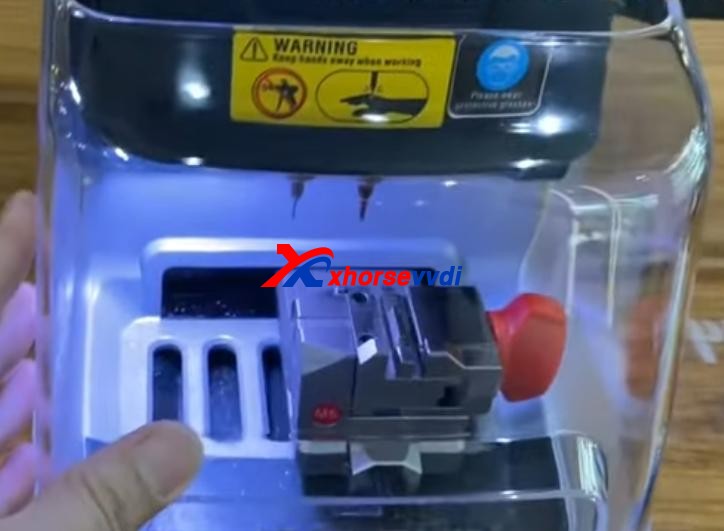
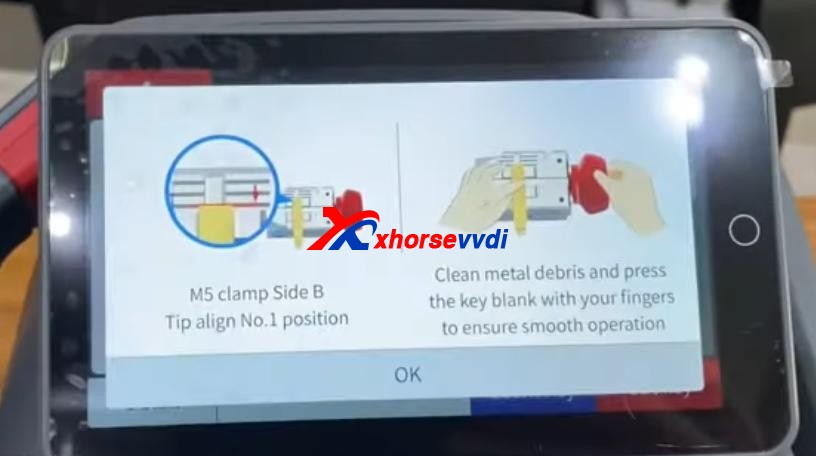
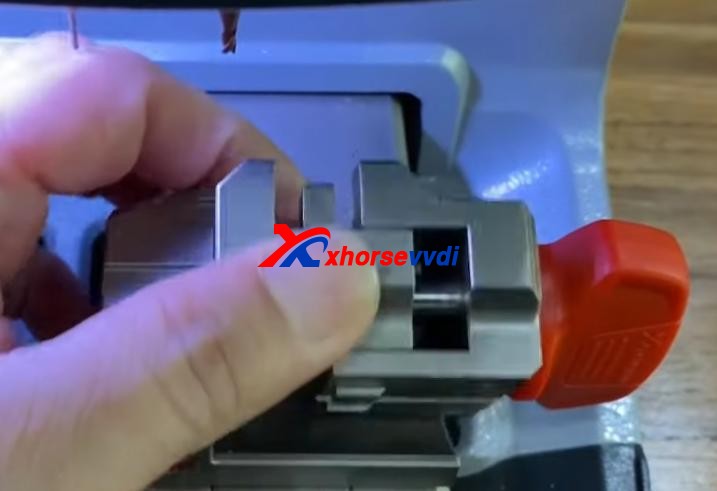
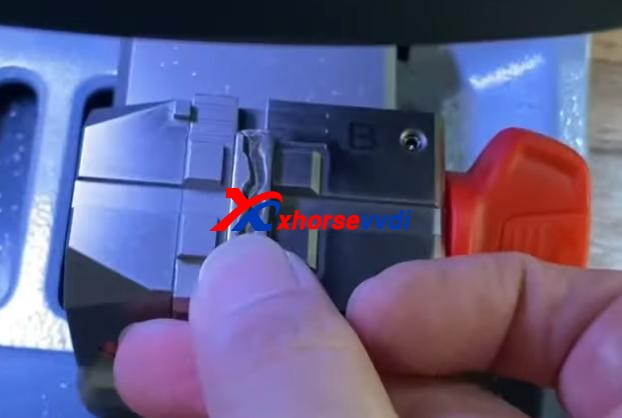
Install and calibrate clamp M5 side B as instructions.
new-dolphin-xp005l-clone-mini-cooper-hu100r-key-tutorial-4  new-dolphin-xp005l-clone-mini-cooper-hu100r-key-tutorial-5
new-dolphin-xp005l-clone-mini-cooper-hu100r-key-tutorial-6
 
Step 3. Decode
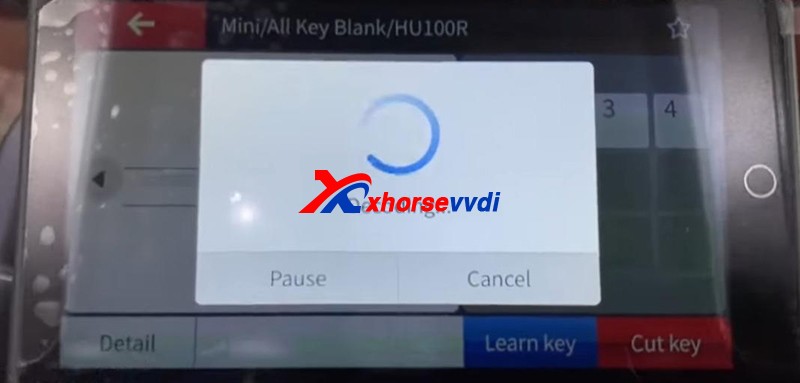
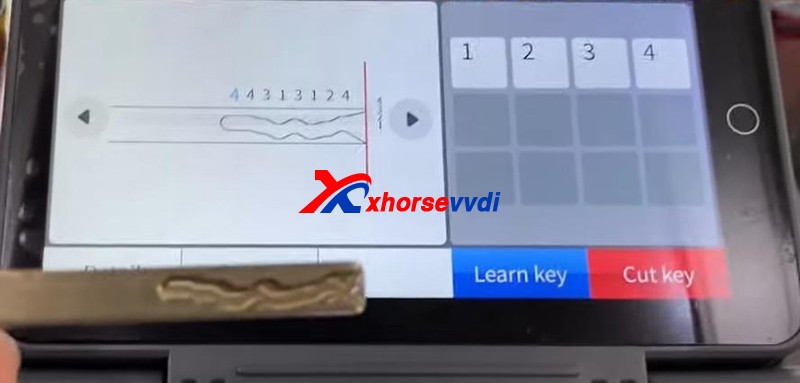
Press “Learn key”.
new-dolphin-xp005l-clone-mini-cooper-hu100r-key-tutorial-7  new-dolphin-xp005l-clone-mini-cooper-hu100r-key-tutorial-8
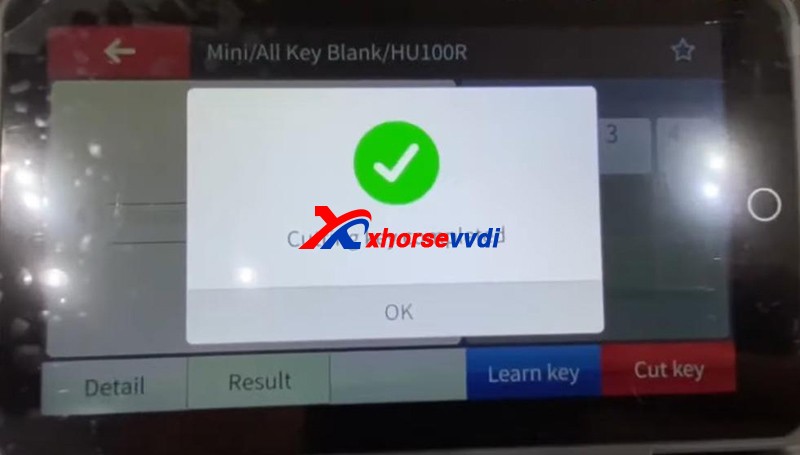
After Decode key completed, check the result by original key.
new-dolphin-xp005l-clone-mini-cooper-hu100r-key-tutorial-9
 
Step 4. Cut
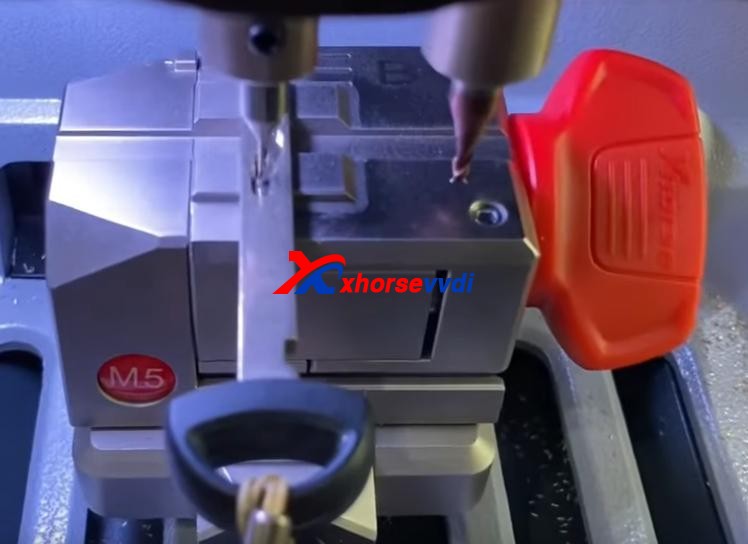
Put new key blade in clamp M5.
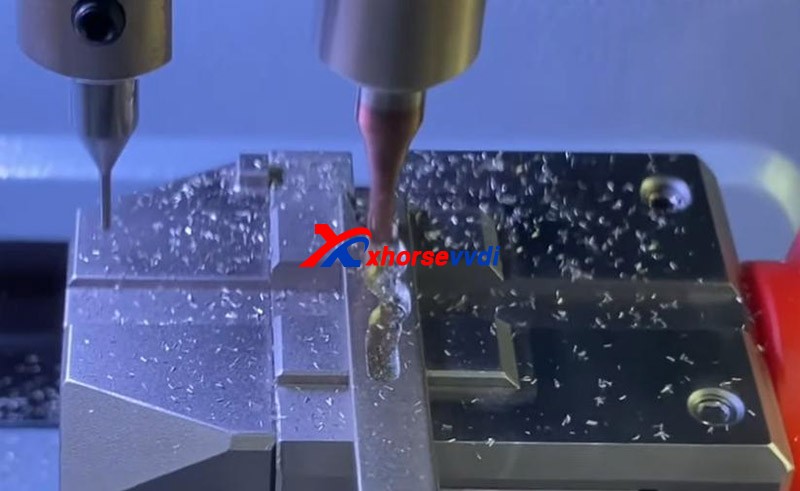
Press “Cut key” and wait.
new-dolphin-xp005l-clone-mini-cooper-hu100r-key-tutorial-10
Cutting key completed!
new-dolphin-xp005l-clone-mini-cooper-hu100r-key-tutorial-11
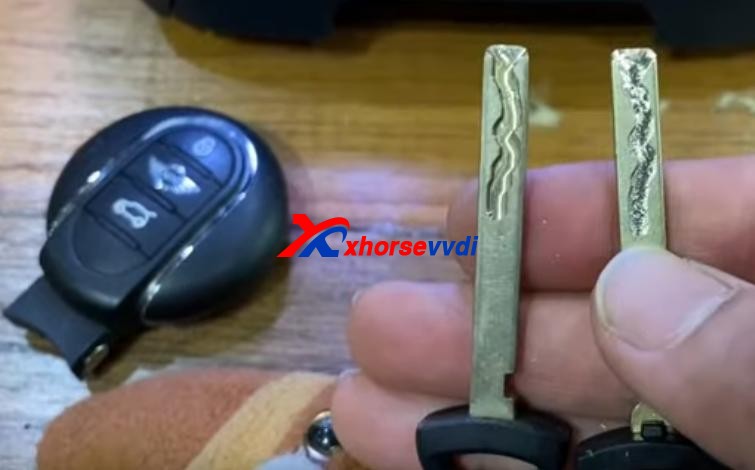
Compare with the original one.
new-dolphin-xp005l-clone-mini-cooper-hu100r-key-tutorial-12
 
Done! Nice and simple.

Great thanks to Xhorsevvdi for making this article:http://blog.xhorsevvdi.com/new-xhorse-dolphin-xp005l-clone-mini-cooper-hu100r-key-tutorial/

2021年10月22日星期五

Xhorse Dolphin XP-005,XP005L and Condor XC-MINI Plus,any difference?


2021 new Xhorse Dolphin XP-005L Key Cutting Machine is taking pre-orders now at xhorsevvdi.com.


Let’s see the difference among them:


ItemDolphin XP-005Dolphin XP-005LCondor XC-MINI Plus
ImageDolphin XP-005Dolphin XP-005LCondor XC-MINI Plus
Price(USD)1950$2250$2700$
Weight(Net)15kg13kg18kg
Weight(Gross)18kg18.5kg22.9kg
Size315x218x270mm390*220*270mm265*362*301mm
Screen×Angle adjustable 5-inch LCD touch screenAngle adjustable 7-inch LCD touch screen
Smart status indicator×Yes (in blue, yellow, red color)×
Protection coverYes,not enoughYes, goodYes, good
UpdateDatabase update in APP, firmware update via Xhorse update kit


Online Update
Online Update, support offline file update.
ClampM1, M2,
M3(optional)
M4(optional)
M1, M2, M5(=M1+M2)
M3(optional)
M4(optional)
M1, M2,
M3(optional)
M4(optional)
ManipulationPhone APP/Key Tool MaxPhone APP/StandaloneStandalone
Offline operation××√
All keys lost√√√

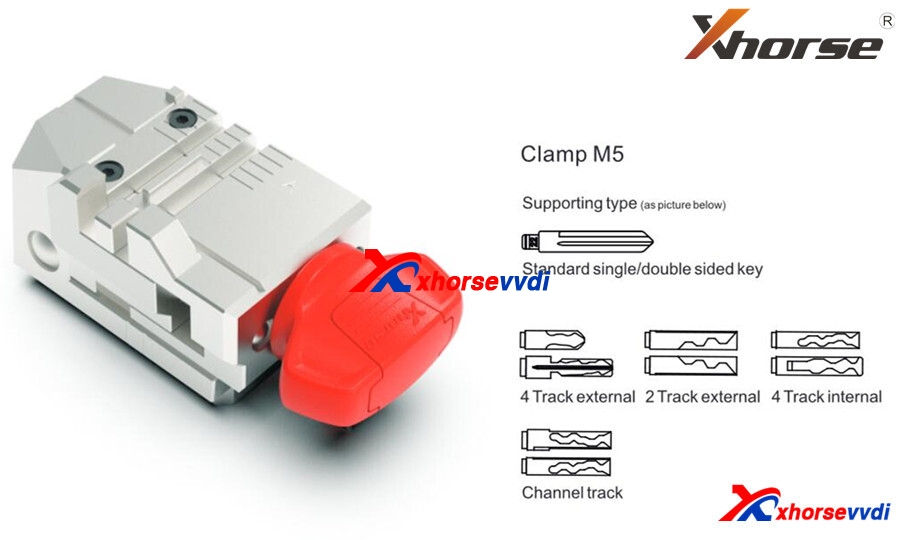
What is Clamp M5?

The new clamp M5 is equal to clamp M1 plus M2, supporting Dolphin II XP-005L and Condor XC-MINI II(coming soon).

Clamp M5 has side A and B, so users can turn it over as cutting needs instead of replacing different clamps. Detailed method is:

Loosen the key lock knob, turn over the clamp and tighten the key lock knob.


What new features on Dolphin XP-005L?

Dolphin XP-005L ≈Dolphin XP-005 software(function) + Condor XC-MINI Plus hardware.

Compared to Dolphin XP-005:

300$, we’ll get

An HD screen(you don’t have to operate on your phone or buy a Key Tool Max),

A larger protection cover(Some customers gave a feedback that they wanted to buy a separate shell for Dolphin XP-005),

Online update(Firmware update via Upgrade Kit is a big trouble to some customers)

Lower weight(Easier to carry out)

M5 clamp(Make operation easier).


Compared to Condor XC-MINI Plus:

450$, we’ll lose

A larger screen, offline operation. However, XC-Mini Plus doesn’t have a built-in battery so hard to take it out.


Personal review

Basically for me, 300 bucks to get a screen, don’t worth it. Just pay more 50 bucks and I can get Key tool max plus XP-005. And lower weight and the combination M5(M1, M2) also don’t interest me, but I’d like to pay for online update, because when the device needs a firmware update, you have to request a link to the update software application through the support section of their phone app. I couldn’t get it to communicate with my Dolphin xp005 over USB, and  eventually I do the update using a friends computer.

As for Condor Mini Plus, you can see the biggest difference is that it allows you to cut keys without network support. It’s very useful, but the price is too high. See if you really need that function.


Who Views This Also Viewed:

  1. 2021 New Xhorse Dolphin II XP-005L Key Cutting Machine Coming Soon! (27)
  2. What is the difference of Xhorse Dolphin XP-005 and Dolphin XP005L? (26.3)
  3. V2.2.1 Xhorse APP Update, Support Dolphin II Key Cutting Machine (17.9)
  4. Xhorse Dolphin XP-005/Condor XC-Mini Plus Cutter & Probe Breaks Test Method (17.6)
  5. Xhorse Dolphin XP005 VA2/VA6/VA2EH Bug will fix in new Xhorse APP (16.5)


2021年10月20日星期三

What's new in Xhorse Dolphin XP-005L Key Cutting Machine?

2021 newest Xhorse Dolphin II XP005L key cutting machine will be launched. It’s an upgrade version of Dolphin XP005, XP005L with Adjustable Screen and Protective Cover, total weight is only 14kg,asy and portable to work without pressure.

Xhorse XP-005L Features:

  • Buit-in database
  • Support APP Control
  • Intelligent operating system
  • Smart LED indicator
  • Angle adjustable LCD touch screen
  • Support WiFi and Bluetooth
  • All-aluminum body structure
  • High precision ball screw
  • High rigidity cross rail
  • Cutter and probe work in parallel
  • Support Multiple Clamps
  • Support Sided/Track/Tibbe Key
  • Update online: Machine firmware and database upgrade via WiFl directly


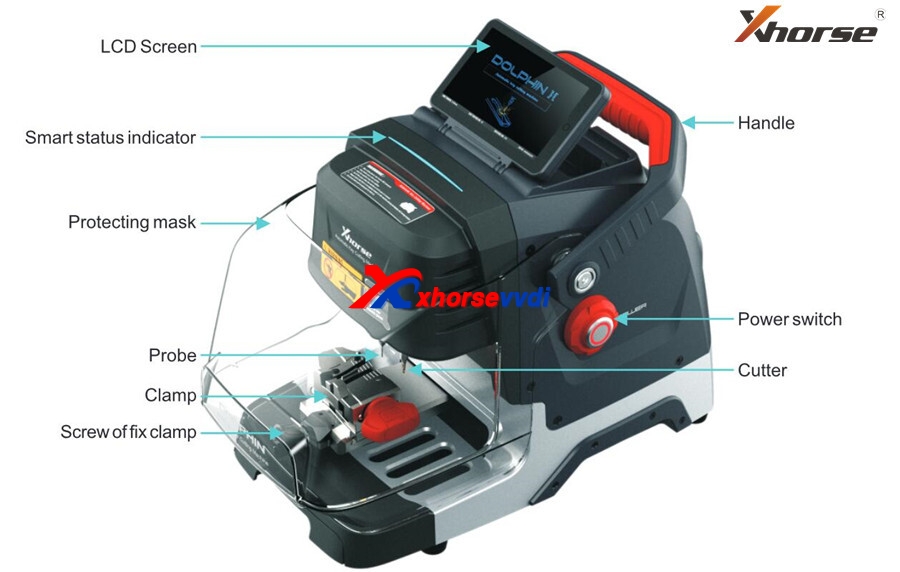
Xhorse XP005L Structure:

Xhorse-XP005L-Structure

Xhorse Dolphin XP-005L M5 Clamp

M5 clamp with two sides of A and B. Users can turn the clamp surface to cut according to cutting needs, it’s no need to repeated install and uninstall to replace clamps. Here are the method of using the M5 clamp.
1) Loosen the “key lock knob” counter clockwise to make the right slider of the clamp the right limit
2) Turn the movable module clockwise, and turn the clamp from side a to side B. Tighten the key lock knob” clockwise to lock the clamp.

xhorse-dolphin-ii-m5-almp

Dolphin XP-005L Specification:
Input voltage: 24V DC
Power: 160W
Principal axis rotation speed: 12500rpm
Motor Torque: 0.15Nm
LCD resolution: 1280*720
Working temperature: 10-50°C
Humidity: 10-90%
Machine size: 390mm:220mm*270mm
Package size: 495mm*400mm*360mm
Net weight: 13kg
Gross weight: 18.5kg

Look here, What are the new features in Dolphin II XP005L :

  • HD Touch Screen

Users can directly complete operation on the screen. High definition screen minimizes eye fatigue.
The machine adopts an angle-adjustable 5-inch capacitive touch screen. You can set the angle of the screen based on actual needs.


  • Innovative Colorful Indicator Lights

The indicator light changes color with the change of real-time working status.


  • Massive Vehicle Database

Built-in powerful database covers over 100 car brands, 2,000 car models and 20,000 key data. Accurate key data, detailed parameters, and clear key graphics. We provide a lifelong database upgrade service for free!


  • Portable Solution

Thanks to its compact design, lightweight, much easier to take it outside and provide users outdoor and roadside services.
Built-in well-known lithium battery, stable and reliable, support cutting works without power supply access.


  • Transparent Protective Shield

The transparent shield enables users to check the real-time working status while preventing metal debris from spattering.


  • Manufacture Craftsmanship

All-aluminum body structure; Manufactured by German-made DMG CNC machine to guarantee high precision cutting results. The finished keys passed the rigorous testing of the Optical Instrument.
A wider workbench, strong and steady, make your works more productive.
Maintain excellent performance even under extreme weather.


  • Multi-purpose Clamps  (M5 Clamp)

A wide duplication availability guaranteed by a variety of functional clamps (Standard equipped M5 clamp (M1 and M2 2 in 1), optional M1/M2 Clamp, M3 Clamp, M4 Clamp.), support multiple key types, standard single sided, standard double sided, 2 track external, 4 track external, dimple, channel track, 4 track internal, F021 & Citroen SX9 keys, residential keys, etc.


  • Support Bluetooth and WiFi

Support directly upgrade online via WiFi connection.
Control the machine by the Xhorse APP on your smartphone or other intelligent terminals via Bluetooth.


Dolphin XP005L Highlights

  • Support to cut key anywhere without a smart phone.
  • Database covers 100 car brands, 2000 car models, 20000 keys.
  • Built-in lithium battery, compact and lightweight design for ease carry.
  • All aluminum body structure, strong & accurate.
  • New UI interface, easy & smart to control.

Download: Xhorse Dolphin II XP-005L user manual 

xp005l

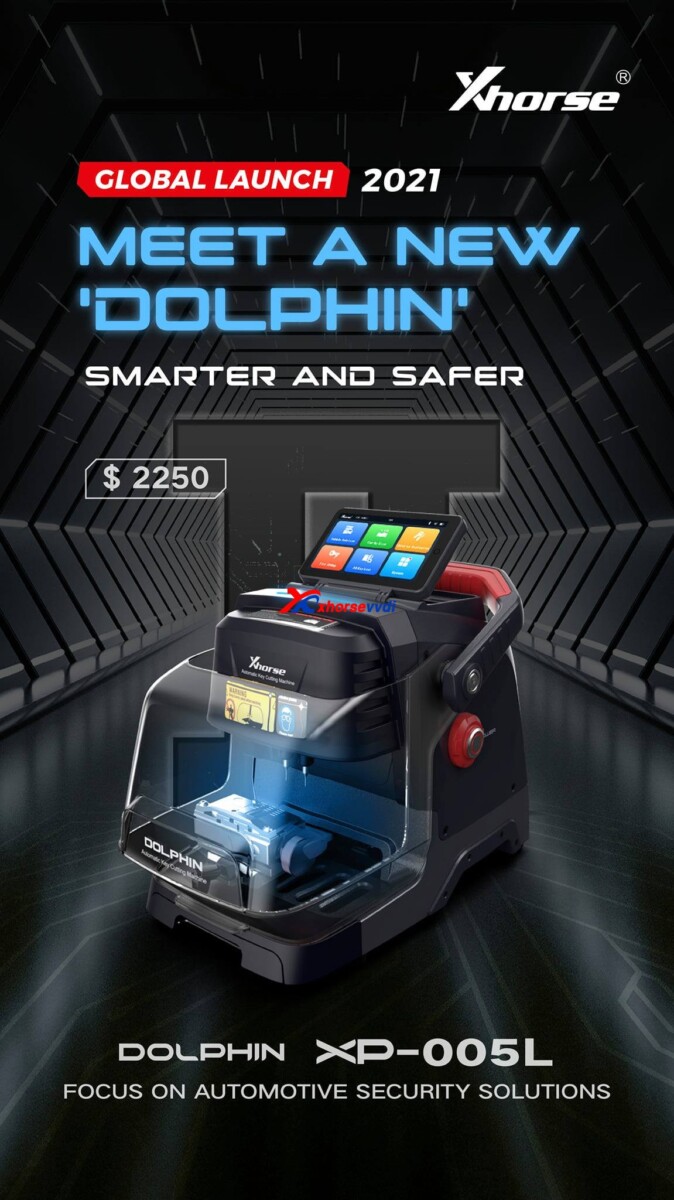
Pre-order in xhorsevvdi.com, Dolphin II XP-005L price is 2250 usd.

Source:https://www.xhorsevvdi.com/wholesale/dolphin-ii-xp005l-key-cutting-tool.html

2021年6月10日星期四

How To Check Skoda HU66 key Cutting Bitting?

Question: How to get key cutting bitting from photo, Skoda hu66 gen1 i assume

skoda-hu66-key-cutting-bitting 01

skoda-hu66-key-cutting-bitting 02


The answer is 12242124 (key cutting bitting)


Good to know:

The key code is on the tag. Just put it into instacode or the xhorse app.


xhorsevvdi.com wrote an article on how to find bitting with Condor XC-Mini Plus key cutting machine, here you can refer to:

http://blog.xhorsevvdi.com/how-to-find-bitting-with-condor-xc-mini-key-cutting-machine/


There is a option "Find Bitting", enter it and select car make to confirm, then select key type. Enter the bitting you know. Enter the unkown bitting as "?" and click on "Find Bitting Code".


Next part is about how to get cutting bitting with Dolphin XP-005.

Enter Dolphin main menu

Select "Find bitting"

skoda-hu66-key-cutting-bitting 03


Select a car make.

skoda-hu66-key-cutting-bitting 04


Select or put in the key blank type.

skoda-hu66-key-cutting-bitting  05


Put the known bitting and replace unknown bitting as "?".

Then click on "Find Bitting"

skoda-hu66-key-cutting-bitting 06


Final part is to use the key bitting to make key, here take Dolphin XP005 for example:


Click on "Cut by Bitting".

skoda-hu66-key-cutting-bitting 07


Choose a key blank type.

skoda-hu66-key-cutting-bitting 08


Choose the key type.

skoda-hu66-key-cutting-bitting 09


Follow the picture show to fix the key.


Select proper side of clamp and fix the key in correct position


Put in the key bitting and check all the information before you click on "Cutting key" for making new key.

skoda-hu66-key-cutting-bitting  10

Good luck!


Have Condor Mini Plus and Dolphin XP005 at www.xhorsevvdi.com

2021年4月7日星期三

Xhorse Dolphin XP007 Key Cutting Machine Clamp Calibration

Hi,guys,Xhorsevvdi shows your How to use Xhorse Dolphin XP007 Key Cutting Machine to calibrate Clamp, and to make key here

Step-by-step:
To calibrate the clamp of Xhorse dolphin XP007 manual key cutting machine, you will need 2.5mm probe.

Xhorse Dolphin XP007 Key Cutting Machine Clamp Calibration 01


Now stick the probe in and tighten up.
Xhorse Dolphin XP007 Key Cutting Machine Clamp Calibration 02


we use a No.25 key blank (HON66) for the calibration.

Insert the key into the clamp and tighten up.

Then we will use a guiding block.
Xhorse Dolphin XP007 Key Cutting Machine Clamp Calibration 03

Xhorse Dolphin XP007 Key Cutting Machine Clamp Calibration 04

After that, we will need to pay attention to this two indicator lights (needle leveling and battery meter), this is a prepositioning switch knob, if it's down, you can move the probe.

If it is up, the probe is stationary.

Keep the probes at the same height level.

Roll down the handle to see if the two lights are on simultaneously.

This knob is used for Micro-adjustment.

Turn the knob counter-clockwise, it will go down, clockwise will lead to going-up.

if the two lights go on at the same time, it indicates the height is ready to go. 


Xhorse Dolphin XP007 Key Cutting Machine Clamp Calibration 05


You can also try to press different positions, if one light is out, but now you press harder, it's on. It is perfect normal and there's no need to adjust again.

Xhorse Dolphin XP007 Key Cutting Machine Clamp Calibration 06


Now we will turn to horizontal collaboration.

And we'll do X-Axis calibration first, to start, the probe needs to touch the edge of the key.

Xhorse Dolphin XP007 Key Cutting Machine Clamp Calibration 07


If the needle leveling light is out, roll down the handle and rotate the handle clockwise.

There are two screws in position 1 and position2 and we need to adjust the screw.

Xhorse Dolphin XP007 Key Cutting Machine Clamp Calibration 08


Now the battery meter light is out, we need to tighten the screw in position 2, if the l needle leveling light is out, we will need to tighten the screw in position 1.


Now try to slide the jaw.

Both lights are on, tighten the left screw, now X-axis calibration is done.

Xhorse Dolphin XP007 Key Cutting Machine Clamp Calibration 09


Next we move to y-axis calibration.

Keep the handle fixed for y-axis calibration, we will need to adjust the position 3 and position 4.


Now the needle leveling light is out, we'll need to loosen position3 and tighten position 4.


When both lights are on, the clamp calibration is finished.

Xhorse Dolphin XP007 Key Cutting Machine Clamp Calibration 10


After calibration,we will try to duplicate the key for you guys and demonstrate how Dolphin XP007 works.

Xhorse Dolphin XP007 Key Cutting Machine Clamp Calibration 11


Enjoy!


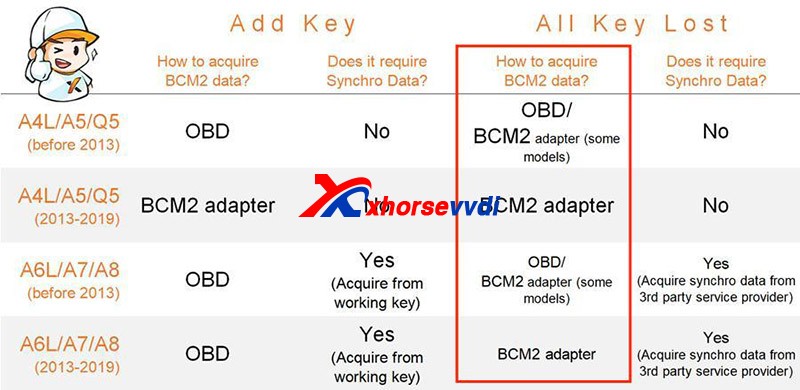
How to distinguish whether Audi BCM is an encryption Type

  Recently released   Xhorse BCM2 Solder-free Adapter   allows users to read encrypted Audi BCM2 module, but how to know if it’s a locked ve...